
Download anyTV – Free Online TV & Radio Streaming App for Windows, Mac, Android, iOS
anyTV is a powerful and free streaming software that lets you watch thousands of live TV channels and listen to hundreds of online radio stations from around the world. With a user-friendly interface and support for multiple platforms, anyTV brings the global broadcast experience directly to your desktop or mobile device. Whether you're into international news, sports, entertainment, or music, this app offers a diverse selection of content without the need for cable or satellite subscriptions. The software supports high-quality streaming, customizable playlists, and a built-in favorites system to help you save your favorite channels. While it occasionally faces playback issues, its extensive library and cross-platform availability make it a top choice for free streaming enthusiasts.
Key Features of anyTV – What Makes It Stand Out
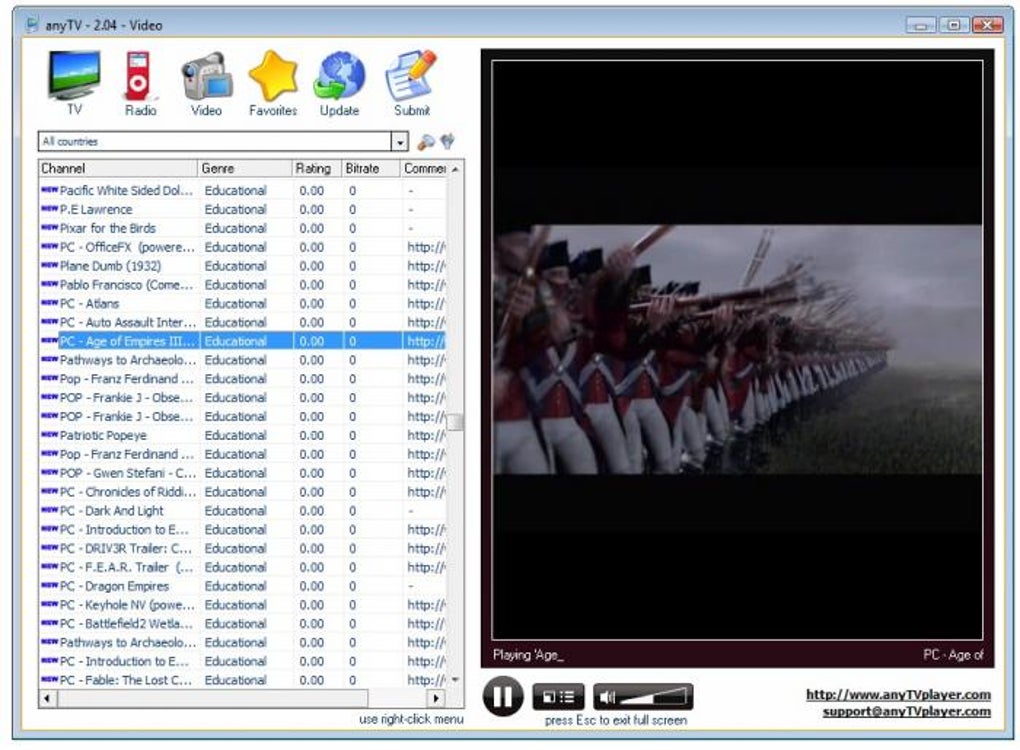
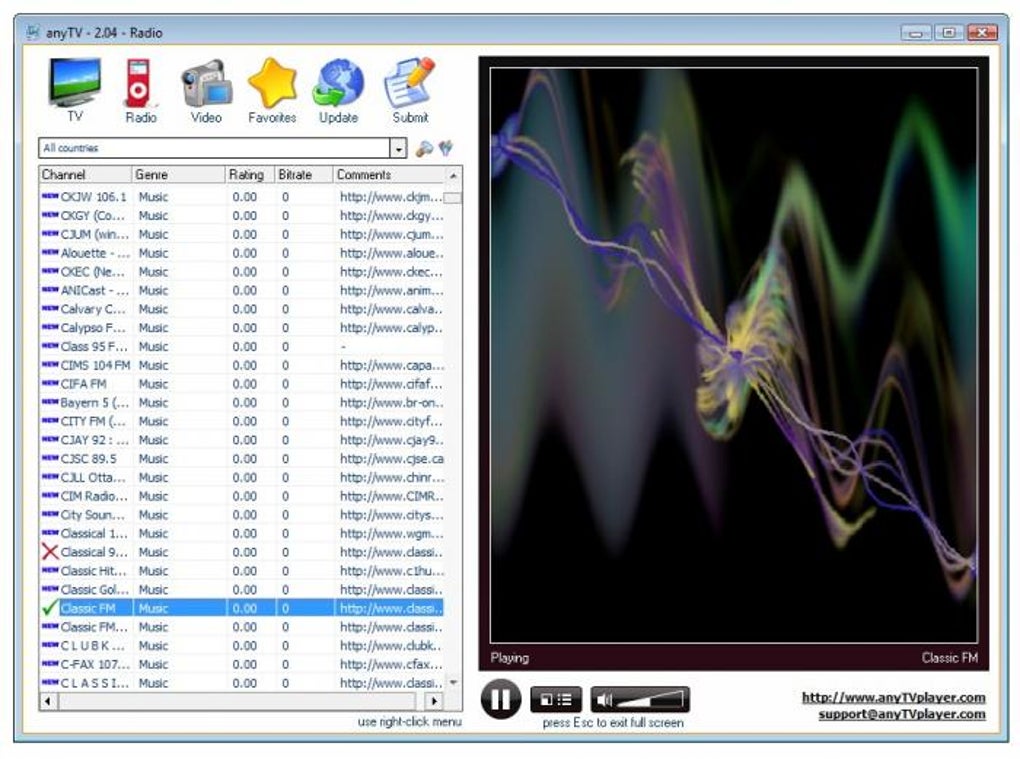
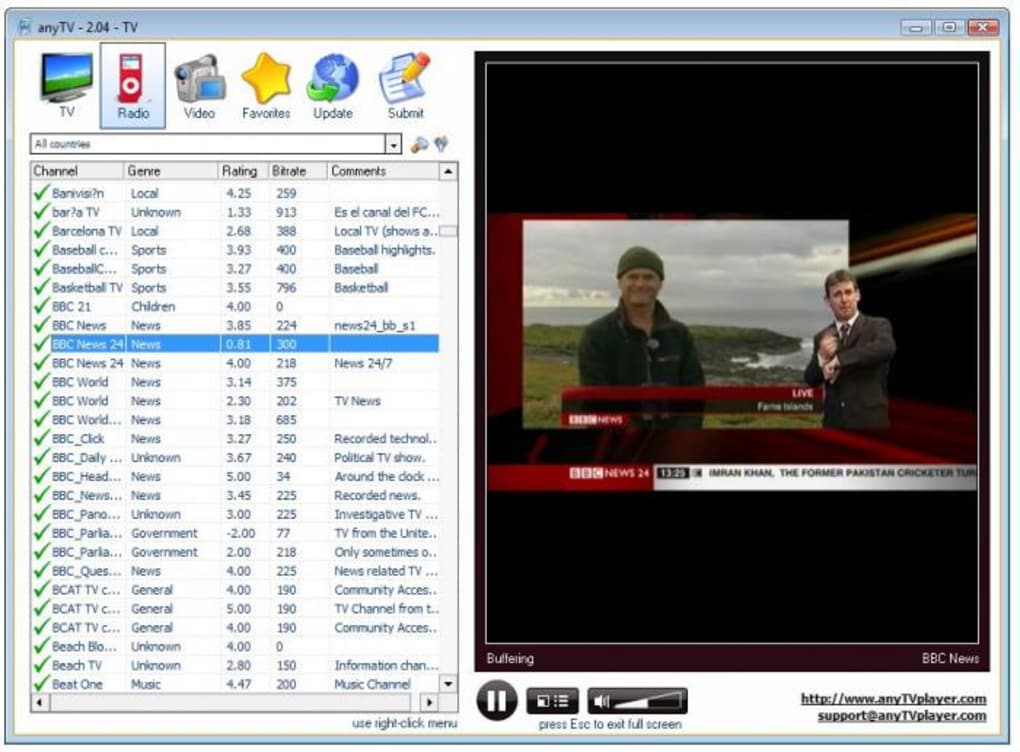
anyTV stands out in the crowded field of free streaming apps thanks to its rich feature set and global reach. One of the most impressive aspects is its vast library of live TV channels and radio stations from over 100 countries. Whether you're looking for local news from Brazil, sports broadcasts from Germany, or Bollywood entertainment from India, anyTV delivers. The app organizes content into three main categories: TV channels, radio stations, and videos, allowing users to switch seamlessly between live streams and on-demand content.
Another major highlight is the app’s filtering and sorting system. You can browse channels by genre (sports, news, music, entertainment), country, bitrate, or user rating. This makes it easy to find high-quality streams that match your preferences. The Favorites system lets you bookmark your go-to channels, while the rating feature allows you to contribute to community feedback—helping others discover reliable streams.
anyTV also supports custom channel additions, meaning users can manually input new streams into their local database. This is especially useful for niche or regional channels not included in the default list. The app automatically handles codec compatibility in most cases, though some users may still need to install Windows Media Player or other media frameworks for optimal performance. Recent updates have fixed common issues like the “Windows Media Player is needed” error on older systems and improved stability during playback.
How to Install and Use anyTV on Your Device
Downloading and installing anyTV is straightforward, whether you're using Windows, Mac, Android, or iOS. For Windows users, visit the official website and download the installer. The setup process is simple—just run the file, accept the license agreement, and follow the on-screen instructions. Notably, no admin rights are required, making it ideal for shared or restricted computers. After installation, launch the app and let it load the default channel list.
On Mac, the process is equally smooth. Download the .dmg file, drag the app into your Applications folder, and open it. The app will prompt you to grant media access permissions if needed.
For Android users, head to the Google Play Store or download the APK from a trusted source. On iOS, search for “anyTV” in the App Store. Note that iOS may require additional permissions for background playback and screen saver control.
Once installed, the main interface displays a clean, organized layout with tabs for TV, Radio, and Videos. Use the search bar or filters to find specific content. To save a channel, simply click the star icon. You can also rate channels after watching them, which helps improve the overall quality of the database over time. For streaming, click any channel to start playback—anyTV will automatically disable the screen saver to ensure uninterrupted viewing.
Compatibility and System Requirements
anyTV is designed to be highly accessible, supporting a wide range of devices and operating systems. It runs smoothly on Windows 7 and later, including Windows 10 and Windows 11. For Mac users, the app is compatible with macOS 10.12 (Sierra) and newer versions. On mobile platforms, anyTV is available for Android 5.0 and above, as well as iOS 11 and later.
While the software is lightweight, it does require a stable internet connection for smooth streaming. A minimum bandwidth of 2 Mbps is recommended for standard definition streams, while HD content may need 5 Mbps or higher. The app performs best on devices with at least 2 GB of RAM and a modern processor. For optimal performance, ensure your system’s media codecs are up to date. Although anyTV handles most playback needs automatically, some older Windows systems may still require Windows Media Player or the installation of additional media frameworks like K-Lite Codec Pack.
One of the app’s strengths is its cross-platform sync. While full sync across devices isn’t yet available, your favorites and recent history are stored locally, allowing you to pick up where you left off on the same device. The developers continue to improve compatibility with each update, recently fixing a 20 DPI display issue that affected high-resolution screens. This ensures a consistent user experience regardless of your device’s screen size or resolution.
Pros and Cons of Using anyTV
- Pros:
- Access to thousands of free TV and radio channels worldwide
- Supports multiple platforms: Windows, Mac, Android, iOS
- Intuitive interface with filtering by genre, country, bitrate, and rating
- Custom channel addition and favorites system
- Automatic screen saver disable during playback
- Regular updates with bug fixes and performance improvements
- Cons:
- Some channels may not load or stream reliably
- Limited error reporting when playback fails
- No built-in search by first letter (e.g., press “S” to jump to “Sports”)
- Requires stable internet connection for consistent streaming
- Occasional lag or buffering, especially on older devices
Frequently Asked Questions (FAQ)
Is anyTV completely free to use?
Yes, anyTV is 100% free to download and use. There are no subscription fees or hidden charges. The app is supported by ads, but they are minimal and non-intrusive.
Can I add my own TV or radio streams to anyTV?
Absolutely. anyTV allows users to manually add custom streams to their local database. This is ideal for regional or niche channels not included in the default list.
Why do some channels not work on anyTV?
Streaming reliability depends on the source. Some channels may have unstable or blocked streams. The app doesn’t show detailed error messages, so troubleshooting may require checking your internet connection or updating media codecs.
Does anyTV work on iOS devices?
Yes, anyTV is available on iOS via the App Store. However, some features like background playback may require iOS permissions to be enabled.
How often does anyTV get updated?
The developers release regular updates to fix bugs, improve compatibility, and enhance performance. Recent updates have addressed issues like the Windows Media Player error and screen saver behavior.
Final Verdict: Is anyTV Worth Downloading?
anyTV is a solid choice for anyone seeking a free, cross-platform solution to stream live TV and radio from around the world. Despite occasional playback issues and a lack of advanced search features, its massive content library, intuitive design, and regular updates make it a standout in the free streaming space. Whether you're a student, traveler, or just curious about global media, anyTV brings the world to your screen.
For those who value convenience, variety, and ease of use, downloading anyTV is a smart move. It’s secure, regularly updated, and available for Windows, Mac, Android, and iOS. While it’s not perfect, the benefits far outweigh the minor drawbacks.
Ready to explore global content? Download anyTV today and start watching live TV and listening to radio stations from anywhere in the world—completely free.







